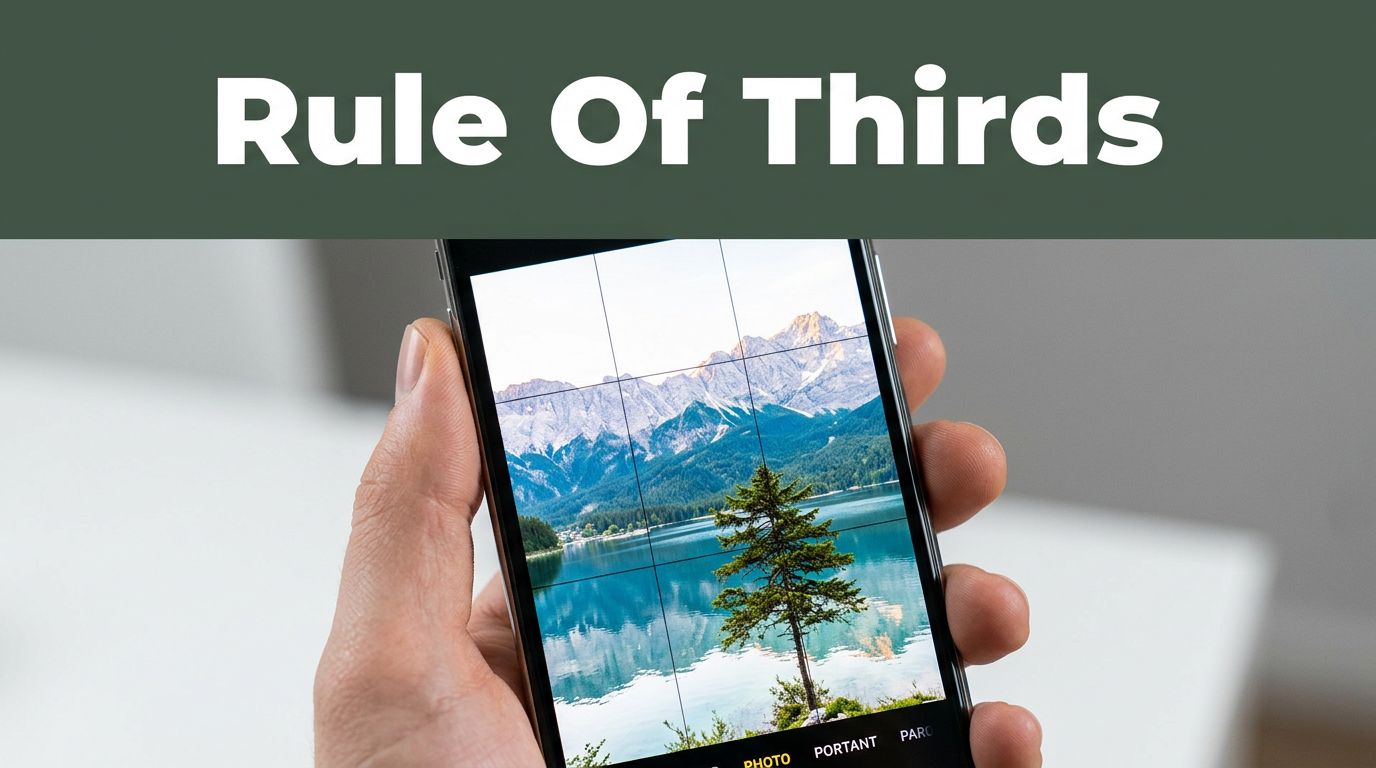
You snap a photo on your phone. The subject sits dead center. It looks flat and boring, just like most casual shots. Everyone does this because it feels safe. But pros skip the center. They use the rule of thirds instead. This simple grid trick makes images pop with energy and pull viewers in.
The rule divides your frame into nine boxes, like tic-tac-toe. Place key elements off-center for natural flow. You’ll see how in phone apps and pro cameras. This post breaks it down. We cover the basics, steps to apply it now, why it works, real examples from classics to 2026 trends, pitfalls to dodge, and fixes. By the end, your photos will feel dynamic. Grab your camera. Let’s make your shots stand out.
What Exactly Is the Rule of Thirds?
Imagine a tic-tac-toe board on your photo. Two horizontal lines and two vertical lines split the frame into nine equal parts. The four spots where lines cross are power points. Put your main subject there. Or align horizons and edges with the lines.
This setup avoids stiff, centered compositions. It guides the eye naturally across the image. For example, think of a painting in a gallery. Your gaze drifts from one side to the other, not stuck in place. The rule mimics that flow. It’s a guideline, not a law. Yet it boosts balance every time.
Most cameras offer a grid overlay. On iPhones or Androids, flip it on in settings. DSLRs have viewfinder grids too. For more on the basics, check this guide from Photography Life. Once you see the lines, off-center placement clicks. Horizons work best on upper or lower lines. Subjects thrive at intersections. Start simple. Practice turns habit into instinct.
Step-by-Step Guide: How to Apply the Rule of Thirds Right Now
Ready to shoot better? Follow these steps. First, activate the grid. Next, spot key spots. Then position smartly. You’ll transform dull snaps into keepers. Practice on portraits, pets, or food today.
Turn On the Grid and Visualize It
Open your camera app. Go to settings. Enable the grid for rule of thirds. On iPhone, head to Camera > Grid. Android varies by phone, but look under compose or gridlines. Pro cameras use menu options.
No grid? Picture it mentally. Divide the frame into thirds. This trains your eye fast. Beginners love the visual aid. It simplifies framing. For exact steps, see how to add gridlines on Android. Now you see the lines. Use them.
Position Your Main Subject at Power Points
Find the four intersections. Place eyes or faces there. In portraits, top-left or top-right feels right. A bird’s eye at a crossing draws focus. Avoid the bullseye center.
The subject gains tension. Space around it breathes. For example, position a person’s gaze toward open area. Eyes follow naturally. Test it now. Snap a friend. Shift until eyes hit a spot. Results amaze.
Handle Horizons, Lines, and Movement Smartly
Horizons go on upper or lower lines. Bottom third amps sky drama. Top third spotlights foreground. Align roads or trees with vertical lines. They lead the eye.
For runners or cars, leave space ahead. Put them in the front third, room in back. Action flows. Balance negative space. It prevents clutter. Shoot a pet chasing a ball. Space guides the chase. Simple tweaks yield pro results.
Why the Rule of Thirds Makes Your Photos Feel Alive
Centered shots stop eyes cold. They feel static, like a mugshot. Off-center creates movement. Balance pulls viewers deeper. Our eyes scan like the grid. They hit intersections first.
Studies show natural paths follow thirds. Real life isn’t symmetric. Photos mimic that for engagement. Social media thrives on it. Dynamic frames get likes. Before, a centered tree bores. After, at intersection with horizon on line, it sings.
You feel the difference. Tension builds. Stories emerge. In short, it adds life. Use it, watch shares rise.
Example of subject eyes at a power point for natural eye flow.
Rule of Thirds in Action: Examples from Classics to 2026 Trends
See it work across shots. Portraits pull you in. Landscapes balance drama. Wildlife pops. 2026 trends mix vertical mobile frames for social. Authentic vibes rule, yet thirds add polish.
Ansel Adams placed horizons on lines for epic feel. A classic lizard eye hits intersection. Everyday snaps elevate too.
Portraits and People Shots That Draw Eyes In
Eyes on upper crossings create intimacy. Nose follows vertical line. Headshots feel pro. Leave gaze space for emotion. Vertical frames fit Reels. Authentic tension wins scrolls.
Landscapes Where Balance Meets Drama
Horizon low for stormy skies. High for detailed ground. Roads along lines draw deep. Drone apps blend scale, but ground thirds add depth. Vertical travel posts dominate.
For vivid examples, explore rule of thirds in landscapes.
Wildlife, Action, and 2026 Street Vibes
Bird at crossing amid space. Runners front-third, path ahead. Street shots go raw. Tokyo neon glows at intersection, crowds lower-left. Vertical chaos with thirds grabs feeds. Skip strict grids for speed, add balance later.
Common Pitfalls and Smart Fixes for Rule of Thirds Success
Everyone slips. Centering persists. Frames clutter. Movement ignores space. Fixes exist. Crop later. Simplify. Experiment.
Beginners center all. Pros over-rely, miss breaks. Practice fixes both.
Beginner Fixes to Stop Centering Everything
Shoot wide, crop to grid. Daily snaps of food or pets build habit. One subject first. Clutter? Remove extras. Results sharpen fast. See composition fixes here.
Advanced Twists: When and How to Break the Rule
Center tiny subjects in vast scenes. Symmetry demands it. Pair with leading lines. In low light, pre-visualize. 2026 AI blends use tension breaks. Bursts catch action off-grid. Know rules to bend them.
The rule of thirds grid delivers pro compositions fast. Dull centers vanish. Dynamic shots emerge. Turn on your grid today. Snap portraits, landscapes, street vibes. Share before-afters below. Try 2026 vertical trends.
What will you shoot first? This tool unlocks creativity at any level. Your photos await that spark. Go create.